How to play We Were Here Tomorrow co-op
Both players need their own copy and a PC-compatible microphone. Invite through Steam or the in-game friend list, keep voice on the walkie-talkie channel rather than in a party, and crossplay works between PC, PlayStation 5 and Xbox Series X|S.
We Were Here Tomorrow is online co-op for exactly two players, and it has no single-player mode, no bots and no friend pass. That sentence answers most of the questions this page gets. The rest of the page is about making the session actually connect, because a co-op puzzle game that will not let two people into the same room is just a menu.
Who needs to own what
Both players need their own copy of the game. There is no shared-ownership feature, no "invite a friend who does not own it" mode and no local split-screen: the store page lists Multi-player, Co-op, Online Co-op, Cross-Platform Multiplayer and Family Sharing, and Family Sharing is a Steam library feature rather than a way to play simultaneously.
Buy before your session, not during it: two installs, two accounts, two microphones.
Platforms and crossplay
| Platform | Co-op with PC | Notes |
|---|---|---|
| PC (Steam) | yes | the version this guide is written against |
| PlayStation 5 | yes | announced alongside the PC release, crossplay across platforms |
| Xbox Series X/S | yes | same announcement, same crossplay promise |
Total Mayhem Games announced We Were Here Tomorrow for PC via Steam, PlayStation 5 and Xbox Series X|S with crossplay across those platforms, and launched the game on October 20, 2026. Console players use the platform's own invite flow, and the in-game friend list is what bridges the two ecosystems.
Inviting a partner on Steam
- Both of you launch the game and reach the main menu before either of you sends an invitation.
- Open the in-game friend list, find your partner, send the invite.
- Your partner accepts from the Steam overlay or the in-game prompt — either works, but the overlay is more reliable when the game window has focus.
- Confirm both of you are in the same lobby before the Director starts talking. If one of you hears the briefing alone, the session did not form.
If the invite button is greyed out, it is almost always one of three things: the other player is still in a single-player menu state, Steam is in offline mode on one machine, or one client is on a different build.
The microphone question
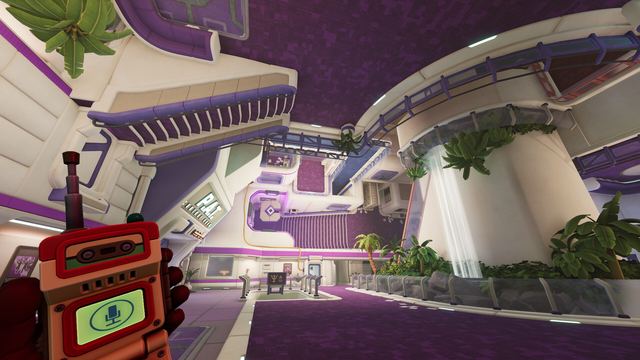
The game requires a PC-compatible microphone, and the requirement is real: several puzzles depend on one player hearing or describing something the other one cannot see, and the walkie-talkie is the in-fiction device that carries it.
- Use the in-game voice channel for anything puzzle-relevant. It is tied to the walkie-talkie, so it behaves the way the puzzle expects.
- Party chat works, but test it. Some pairs run Discord or the console party alongside the game and end up with doubled audio or a push-to-talk key that conflicts with an in-game bind.
- Set input levels before Sector 1. A microphone that clips on the letter "s" will cost you a symbol.
When the session will not connect
Work down this list in order. Each step is cheap and rules out a whole class of cause.
- Same build. Both clients update, both restart the game, then retry the invite.
- Steam online, not offline. Offline mode blocks the invite even when the friend list looks populated.
- Firewall and network. Co-op is peer-to-peer-ish for session negotiation; a strict corporate or campus network can block it. Tethering one machine to a phone hotspot is the fastest test.
- Region mismatch. A large latency gap makes the lobby look connected while audio drops. Both of you pick the same region if the game offers the option.
- Restart both clients. Not the machines, the game. Session state lives in the client.
For persistent crashes rather than connection failures, the AMD-specific fixes from the demo patch still apply as the first thing to try: launch with the DX11 Safe mode option, and leave VSync at its default.
Session length and pacing
The developer puts the campaign at around fifteen hours. Across six sectors that is roughly two and a half hours per sector, with the last two sectors running longer than the first two. A realistic plan:
- First session: Sector 1 and as much of Sector 2 as you can stand — about two hours.
- Second session: finish Sector 2, take Sector 3 in one go.
- Third and fourth: R&D Headquarters, then the Temporal Research Centre.
- Final session: Rift Zero, unbroken. Do not split the ending.
The game saves per checkpoint rather than per puzzle step, so stopping mid-sector costs you the segment, not the sector.
If your setup is solid and you want to start playing, the beginner guide covers the habits, and the walkthrough hub has the sector order.